Medical
Management
Solutions
See
How It Works...
Practice Management Software Demonstration
Once a patient has been seen, the physician fills in the encounter form which is then sent to the billing department.
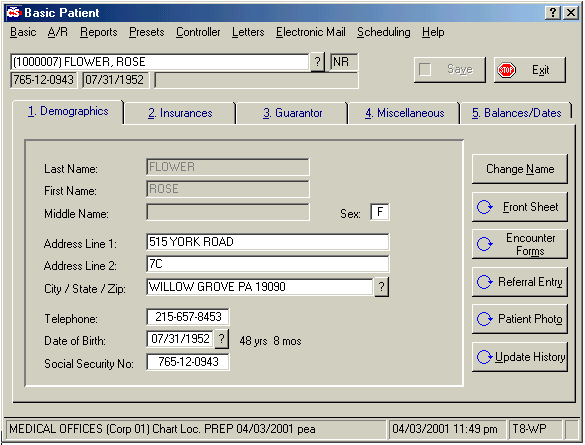
Basic patient information is organized into five categories:
- Demographics (general info plus referral details)
- Insurances
- Guarantor (Bill To info)
- Miscellaneous (includes comments area)
- Balances
Typically, the billing department can be responsible for updates in any of these areas.
Referral information details:
- # of visits allowed
- date range of services
- limits to types of procedures
Click below to continue...
Updates to Patient Information - Demographics
Note the chart location at the bottom of the screen.
The Referral Entry button opens the window below.
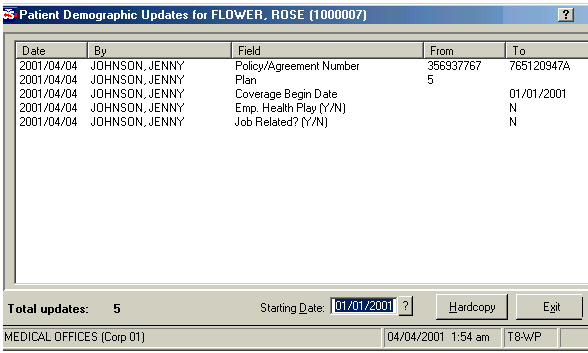
The Update History option allows you to see any changes that have been made to that patient's file, and by which operator. This is a useful tool in tracking and understanding when and by whom changes were made.

or go to DEMO MAIN MENU