Medical
Management
Solutions
See
How It Works...
Practice Management Software Demonstration
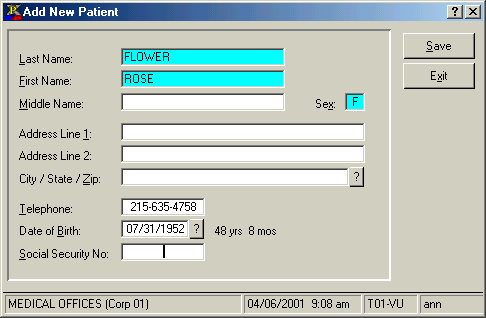
When booking an appointment for a new patient, the window on the right will pop open.
The window allows you to enter minimal information about the new patient. Only name and sex are mandatory fields.
The system then double checks to make sure that a duplicate patient entry does not already exist.
At this point, you are able to assign a patient number, or let the system automatically assign one.
Then, you are popped back to New Appointment Entry to specify a reason for the appointment.
Scheduling New Patient Appointments
or go to DEMO MAIN MENU